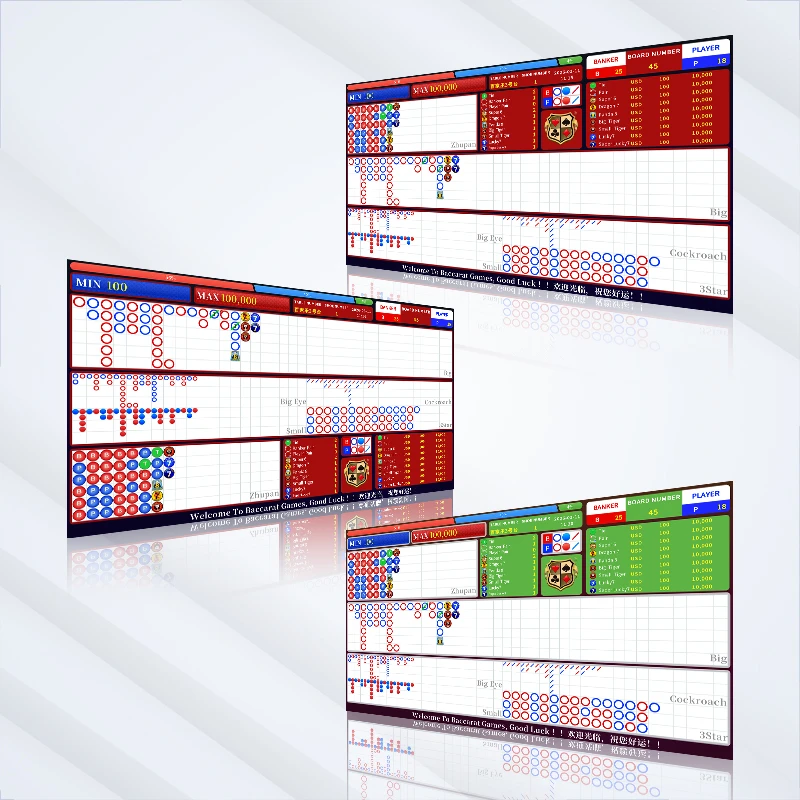
In high-stakes Baccarat tables across Macau, Las Vegas, and Singapore integrated resorts, a Baccarat Display (also known as Electronic Baccarat Scoreboard, Casino Baccarat Roadmap System, or Baccarat Roadmap Display) is the heartbeat of the game. When the Big Road, Big Eye Boy, Small Road, Cockroach Pig, or Dragon Tail stops updating in real time, the entire table rhythm collapses: dealers slow down, VIP players lose confidence in the trends, side bets like Pair and Dragon Bonus drop off, and your table flip rate suffers.
If your Baccarat Display is freezing, lagging behind the Angel Eye or Bee-tek smart shoe, or showing delayed Bead Plate results, you’re not alone. Casino operators report this exact pain point daily. The good news? Most sync failures and latency issues can be diagnosed and fixed in under 5 minutes using professional casino-grade troubleshooting.
Here’s the complete step-by-step guide — optimized for industrial-grade Baccarat Scoreboard systems, PoE Baccarat Display setups, and hybrid wired/wireless Electronic Baccarat Roadmap Displays.
Why Baccarat Scoreboard Sync & Latency Matter in Live Play
A delay as small as 200–500 ms between the electronic shoe result and the Baccarat Display update breaks player immersion. High-rollers watching Big Road streaks or waiting for Dragon Tail patterns expect instant feedback. Even minor latency can reduce side-bet volume by 15–25% and extend shoe time by 20–30 seconds per round — directly hitting your revenue per table.
Common symptoms operators see:
- Big Road or Bead Plate not refreshing after a hand
- Derived roads (Big Eye Boy / Small Road / Cockroach Pig) showing wrong entries or Dragon Tail overlap
- Results appearing 1–3 hands late
- Manual keyboard fallback required during peak hours
5-Minute Troubleshooting: Fix Baccarat Display Not Updating
Follow these steps in exact order — most issues resolve by Step 3.
Step 1: Quick Power Cycle & Connection Check (60 seconds) Unplug the Baccarat Display controller and the connected smart shoe (Angel Eye / i-Deal / TCS John Huxley) for 30 seconds, then power back on. Check the physical link:
- PoE Baccarat Display → confirm Ethernet cable is fully seated and PoE switch is delivering power.
- Wireless models → verify the 2.4/5 GHz channel is not congested (casino Wi-Fi interference is a top culprit). Pro tip: Industrial-grade systems with automatic failover will self-reconnect faster than consumer-grade screens.
Step 2: Verify Shoe-to-Display API Sync (90 seconds) Access the admin menu on your Electronic Baccarat Roadmap Display controller. Confirm the shoe protocol is set to the correct brand (Angel Eye, Bee-tek, Safe Shoe, etc.). Force a manual test hand: deal one card set and watch the Baccarat Scoreboard for live push. If it still lags, the API handshake may have dropped — restart the shoe’s internal server module. Most professional Angel Eye Compatible Baccarat Displays auto-reconnect within 10 seconds after this reset.
Step 3: Firmware & Software Update Check (60 seconds) Outdated firmware is the #1 hidden cause of Dragon Tail miscalculations and derived-road errors. Log into the controller dashboard and check for OTA updates. Apply any pending patches for Big Road, Big Eye Boy, and Cockroach Pig algorithms — newer versions include improved Tie-handling and side-bet recognition (Pair, Super Six, Dragon Bonus).
Step 4: Latency-Specific Fixes for Wireless or Hybrid Systems (60 seconds) If you’re running a wireless Baccarat Display, switch temporarily to wired PoE mode (most premium units support hybrid failover). Lower the display refresh rate from 60 Hz to 120 Hz if your model allows — this dramatically cuts perceived lag during rapid chops or long Banker streaks. Clear the display cache via the service menu to purge any stale Bead Plate data.
Step 5: Full System Reboot & Validation (30 seconds) Reboot the entire Casino Baccarat Display System (display + controller + shoe). Deal three test hands and verify:
- Instant Big Road update
- Correct Dragon Tail extension
- Accurate derived roads (Big Eye Boy, Small Road, Cockroach Pig) If everything syncs, you’re back in action.
Prevention Tips for Zero-Downtime Baccarat Roadmap Systems
- Choose industrial-grade Baccarat Scoreboards with MTBF > 50,000 hours and active cooling — they handle 24/7 casino smoke and heat far better than standard LCDs.
- Always opt for PoE Baccarat Display or hybrid models over pure wireless for sub-100 ms latency.
- Schedule weekly firmware checks and monthly dust-filter cleaning on the controller unit.
- Integrate with your casino management system (CMS) for remote monitoring — premium Baccarat Display solutions now offer real-time alerts for sync drops.
Still experiencing persistent Baccarat Display sync issues after these steps? The root cause is often an under-specced or poorly integrated unit that wasn’t built for true casino-floor demands.
For a battle-tested, Angel Eye-ready solution designed specifically for Macau-style operations, explore the full range of professional Baccarat Display and Roadmap Systems at Macaumr. Their Electronic Baccarat Scoreboard lineup supports every major road (Big Road, Big Eye Boy, Small Road, Cockroach Pig, Dragon Tail) with ultra-low latency PoE connectivity and seamless smart-shoe integration.
Visit: https://www.macaumr.com/baccarat-display-and-roadmap-system/
Don’t let sync problems cost you another high-limit shoe. Upgrade to a reliable Casino Baccarat Display System today and keep the Big Road flowing — and the chips stacking.
Need help diagnosing a specific brand (Cammegh, TCS John Huxley, or custom build)? Drop your model details in the comments or contact Macaumr support for a free compatibility audit.